






Click to Pay, online shopping made easy.
Fewer steps smarter shopping. Enjoy fast one-click payments with your BBK VISA debit card on various merchant websites.
Click to Pay is a secure e-commerce service provided by VISA that facilitates transactions between Cardholders and Merchants by securely storing and presenting Card credentials at checkout. It enables a safer, faster checkout by removing the need for consumers to manually enter card details for e-commerce transactions. Click to Pay provides a payment method that reduces fraud risk and results in higher authorization rates.
Look for the  when you check out at participating online merchants.
Enter the mobile number associated with your debit card.
Verify your identity by entering the one-time code that has been sent.
Select the Visa card you want to use from your enrolled cards.
Complete your purchase without the need to re-enter card numbers or billing information.

All customers with active BBK debit cards have been enrolled except for BBK Lite and Starmaker debit cards.
Click to Pay makes buying online even easier.
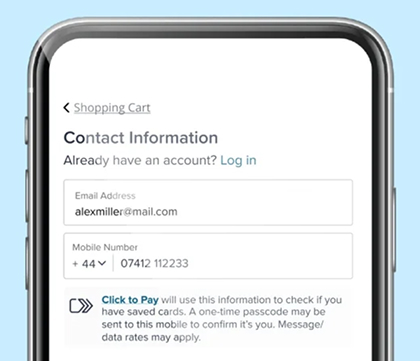
You can shop online, buying anything as long as there is a Click to Pay icon.
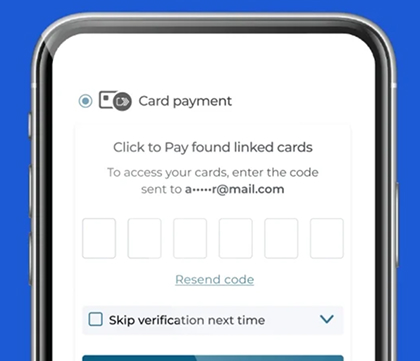
Provide your mobile number at checkout to find your linked Click to Pay card(s).
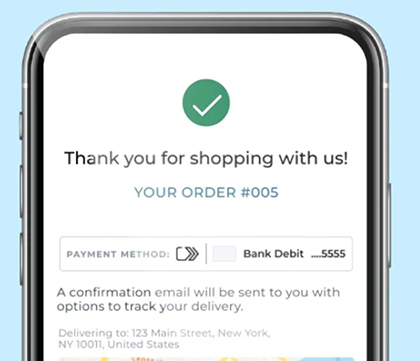
Click to Pay makes your online checkout a fast and easy experience, giving you peace of mind as you complete your purchase.
You will need to contact us on 17207777 to request unenrollment of the service.
For the Terms and Conditions, click here.
This website uses cookies to ensure you get the best experience and by clicking “I Accept” below, you consent to the use of cookies. Learn more


